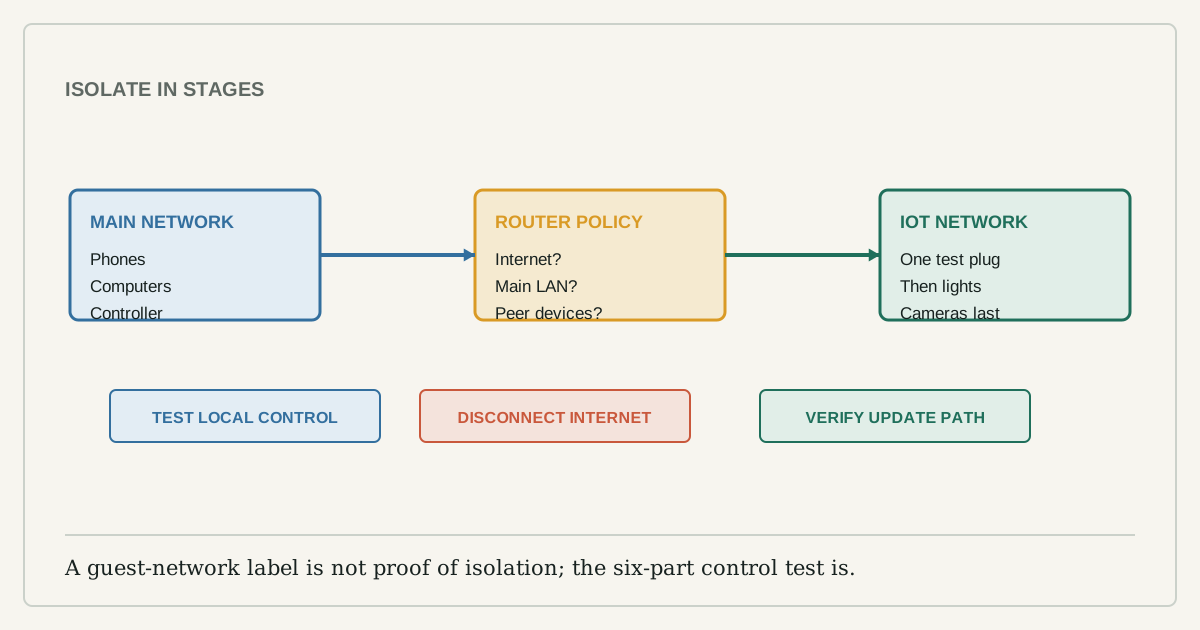
A separate Wi-Fi network can reduce how easily a compromised camera, plug, or appliance reaches laptops and shared files. But the label "guest" does not guarantee the same behavior on every router. Some guest networks isolate guests only from the main network. Some also isolate guest devices from one another. Some allow local discovery; others permit internet access only. Smart-home control depends on those differences.
Move one low-consequence device first. A lamp plug is a better test than a front-door camera, lock, smoke alarm, or heating control. The goal is to prove the router policy and the product's dependencies before changing the rest of the home.
Capture the current state
Before opening router settings, write down:
- router model, firmware version, and current network names;
- device model, MAC address if visible, and current room name;
- controller or hub used for local control;
- whether the device still works when the internet is disconnected;
- household members and automations that depend on it;
- the reset and re-pairing instructions.
Do not post screenshots containing Wi-Fi passwords, setup codes, serial numbers, public IP addresses, or precise camera names. The record is for recovery, not publication.
Understand what the guest switch may do
The FTC recommends a guest network because it keeps the primary Wi-Fi password more private and can separate a guest's infected device from the main network. NIST describes the deeper goal as segregation: limit an IoT device's ability to communicate with valuable internal systems if it is compromised.
For smart homes, ask three router-specific questions:
- Can guest devices reach the internet?
- Can guest devices reach devices on the main LAN?
- Can guest devices reach one another?
The safest answer is not always the most functional. A phone on the main network may need local discovery to commission or control a device. A hub on the main network may need to reach an accessory. Matter uses local connectivity over Wi-Fi, Ethernet, or Thread, so an isolation rule that blocks local traffic can also block expected control.
Stage one device
Create the guest or IoT network with WPA2 or WPA3, a unique password, and a name that does not reveal the address or owner. Update the router first. Keep remote router administration, WPS, and UPnP disabled unless a documented need outweighs the risk.
Move the test plug or light to the new network. If the product requires a factory reset, remove it cleanly from the old app or platform before resetting. Keep the controller, phone, and hub where they are for the first test; changing every variable at once makes failure impossible to diagnose.
Run a six-part control test
| Test | What it proves |
|---|---|
| Control from phone on main Wi-Fi | Cross-network local discovery or cloud control works |
| Control with phone cellular only | Remote account path works |
| Disconnect internet, keep Wi-Fi up | Local control and automations survive, or they do not |
| Trigger an automation | Controller can still reach the device |
| Check for firmware update | Device retains its maintenance path |
| Try reaching a main-network printer from the IoT device context | Isolation blocks unrelated LAN access where the router exposes a test |
Many apps do not reveal whether a command was local or cloud-routed. The internet-disconnection test is the clearest household check. Restore internet before testing time-sensitive or safety functions.
When a device stops working
If initial pairing fails, temporarily place the setup phone on the same network and confirm local-network permissions. If pairing succeeds but automations fail, identify where the controller lives and whether the guest policy blocks it. If remote control works but local control does not, the product may be using the cloud as a bridge around LAN isolation.
Do not respond by enabling every cross-network option. Look for a narrow router rule, documented IoT network mode, or a controller placement that preserves the boundary. If the router offers only an all-or-nothing guest network and the product requires broad LAN access, keeping that device on the main network with strong account security may be more honest than pretending it is isolated.
Thread devices need a different map
A Thread accessory does not join the guest Wi-Fi directly. It joins a Thread mesh and reaches the wider home network through a Thread border router. The controller and border router roles may be inside a speaker, display, router, or hub. Moving the phone or a Wi-Fi hub does not automatically move the Thread mesh.
Map those roles before changing networks. A broken Thread setup can look like weak radio coverage when the actual problem is that discovery traffic or controller communication is blocked.
Roll out in risk order
After the test device survives for several days, move low-consequence lights and plugs, then sensors, then cameras. Leave locks, alarms, heating, and accessibility devices until their manufacturer documents the network design and the household has a manual fallback.
Maintain a device list and delete retired accounts. Network separation is one layer, not a substitute for updates, unique passwords, multi-factor authentication, and buying products with a stated support period. The successful guest-network plan is the one you can explain, test after a router update, and reverse without guessing.