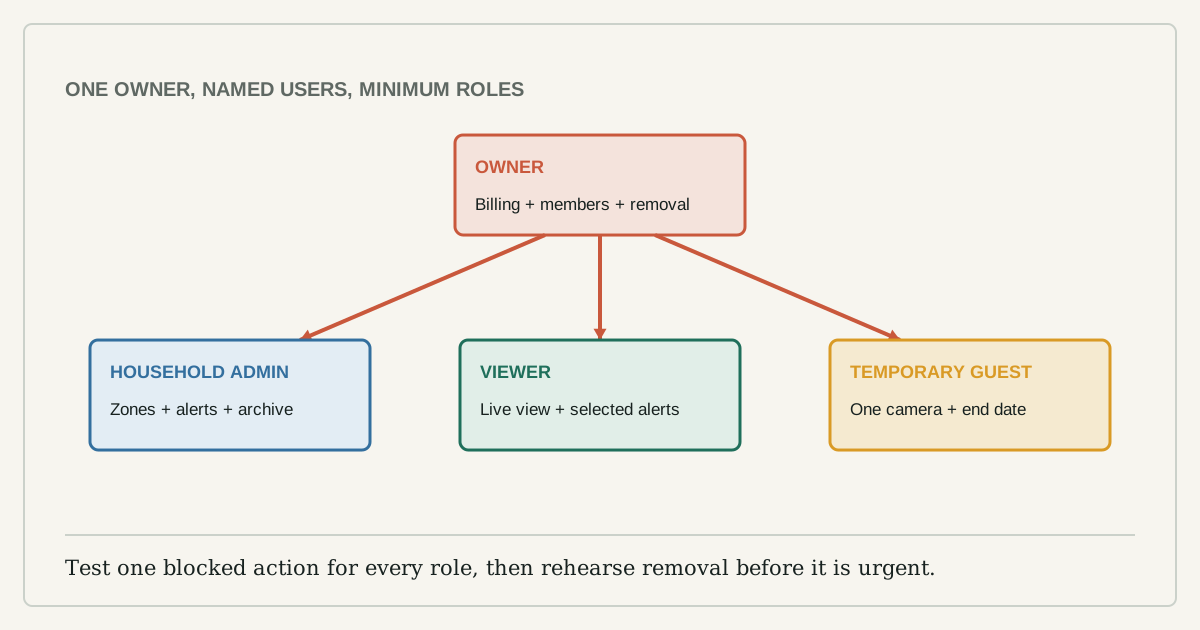
The fastest way to share a camera is to send everyone the owner password. It is also the hardest arrangement to audit, revoke, or recover after a phone is lost. A better household setup gives each person a separate identity and the smallest role that covers what they need to do.
This is an account-access guide, not a recommendation to monitor family members. Agree on where cameras point, when they record, who receives alerts, and who may export footage before inviting anyone. Cameras in bedrooms, bathrooms, private work areas, or spaces used by visitors raise consent and legal questions that an app permission screen cannot settle.
Start with tasks, then assign roles
List the tasks the household actually needs. Common ones are viewing live video, receiving a door alert, speaking through the camera, reviewing recordings, exporting a clip, changing detection zones, managing subscriptions, and deleting the device.
Map those tasks to the product's current roles. Names vary, but the boundary should look like this:
| Person | Useful access | Access normally withheld |
|---|---|---|
| Owner | Billing, device removal, security settings, member management | None, but use it rarely |
| Household admin | Device settings, zones, alerts, recordings | Billing or ownership transfer unless necessary |
| Viewer | Live view and selected alerts | Member management, deletion, network changes |
| Temporary guest | One camera or time-limited event access | Archive, microphone, settings, other locations |
If the platform offers only owner-level sharing, that is a product limitation worth recording before purchase. Do not turn a babysitter, cleaner, contractor, or short-term guest into a permanent co-owner because the app lacks a temporary role.
Create separate accounts
Each adult should use a unique account password and multi-factor authentication when available. The FTC specifically advises strong unique passwords, two-factor authentication, and secure sharing for home cameras. Separate accounts make access logs meaningful and allow one person's access to be removed without changing every device in the home.
Never send a setup QR code, recovery code, or owner password in a group chat. Store recovery information with the household's other important records. The owner account should not remain signed in on a shared tablet that guests can unlock.
A harmless event reveals the permission boundary
Invite one person at a time. Ask them to perform the allowed tasks and one task that should be blocked. Trigger a normal test event in view of the camera, then check:
- The intended person receives the alert.
- A viewer cannot change the detection zone or add another member.
- Recording playback follows the chosen role.
- Clip export includes only the required time and camera.
- The owner can remove the member and access stops on the next app refresh.
Do not assume the role label is the control. Verify the behavior. Some platforms grant microphone access with live view; others separate it. Some share every camera in a location when the owner intended to share one.
Who needs which notification?
More recipients do not always mean a faster response. Duplicate alerts can train everyone to ignore them. Assign an alert owner for each camera and a backup for absences. Narrow zones and schedules to the event the camera exists to catch.
Write the response beside the alert: check live view, contact a household member, save a clip, or ignore a known delivery window. A notification without an agreed action is noise, not a security plan.
Exports create a second privacy surface
A saved clip leaves the camera platform's controls. Before exporting, trim it to the smallest useful interval and check whether it captures neighbors, visitors, audio, screens, or addresses. Share through an access-controlled link or direct transfer rather than a public post. Delete temporary copies when the purpose is complete.
If the app adds a watermark, timestamp, or account identifier, preserve the original when the footage may be needed as evidence. Do not edit the only copy.
Departures need an offboarding step
Run a quarterly member review and after any lost phone, relationship change, contractor visit, tenancy change, or household move. Remove people who no longer need access. Review active sessions, connected services, voice-assistant links, and automation platforms, not only the member list inside the camera app.
When a phone is lost, revoke its session if the provider supports that, change the affected account password, and confirm multi-factor authentication recovery. When the camera changes owner, remove cloud recordings according to the retention need, unlink integrations, remove the device from the old location, factory-reset it using current instructions, and verify it no longer appears in the old account.
Security settings must support the role model
The NCSC recommends changing default passwords, installing software updates, and disabling remote viewing if it is not needed. It also notes that disabling internet access can stop alerts or integrations, so test rather than guessing. The FTC recommends a secured router and considering a separate network for cameras.
Roles cannot compensate for unsupported firmware, unencrypted video, or an account with no multi-factor authentication. Capture the manufacturer's support period and security settings before buying. If a product cannot separate owner from viewer, cannot list active members, or cannot revoke a lost device, include that in the comparison rather than hiding it behind image quality.
The household rule
One owner account, separate named users, minimum useful roles, and a rehearsed removal path is a small system that can survive ordinary change. Revisit it whenever the household changes. Access that cannot be explained and revoked is not shared access; it is a permanent password leak with a friendly label.